Bookboost changelog
Unified Inbox Dashboard
Unified Inbox Dashboard
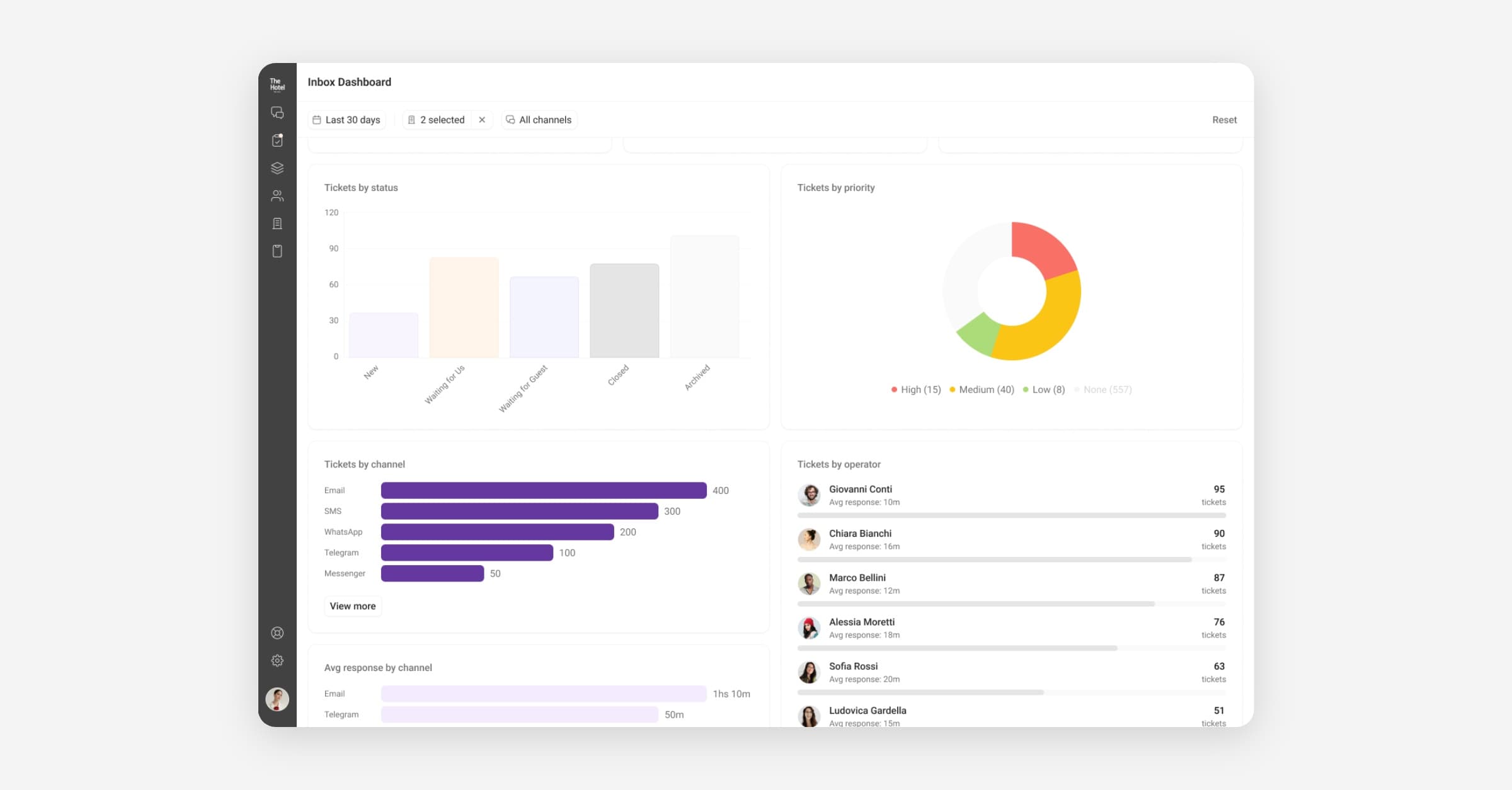
We have released a dedicated analytics dashboard for the Unified Inbox, giving you a clear view of conversation volumes, response times, resolution rates, and team performance over time. Track trends, identify bottlenecks, and make data-driven decisions about staffing and workflows without leaving Bookboost.
The Unified Inbox Dashboard is currently in Early Release — reach out to [email protected] to get access.
Search Improvements in the Unified Inbox
Search in the Unified Inbox has been improved to help teams find guest conversations faster. Operators can now search by details such as name, surname, email address, phone number, and reservation number, making it easier to locate the right thread without switching to another system. Results include more useful context so teams can quickly identify the correct conversation. This new search experience is connected to the existing search bar in the Unified Inbox.
Inbox Automations
You can now set up rule-based automations directly in the Unified Inbox. Create rules that automatically assign conversations, add tags, change status, or send quick replies based on triggers like keywords, sender, channel, or time of day. This reduces repetitive manual work for your team and ensures consistent handling of common conversation types.
For example, out-of-office replies send a predefined message when no operator is available, with timezone-aware scheduling.
Go to Inbox Settings → Automations to set up your first automation.
Bookboost Insights — Guest & Loyalty Data
Bookboost Insights now includes guest demographic and loyalty data in its analytics. You can explore segments by nationality, loyalty tier, age range, and more — giving your marketing and revenue teams the audience intelligence they need to build more targeted campaigns and offers.
Guest Channel Preference
Bookboost can now capture a guest's preferred communication channel directly in forms, and then honour that preference when sending campaigns. If a guest indicates they prefer WhatsApp over email, Bookboost routes your campaign accordingly — no manual segmentation needed. This helps you reach guests in the way they actually want to hear from you.
WhatsApp Template Rejection Notifications
When a WhatsApp template is rejected by Meta, Bookboost now surfaces a clearer, more actionable notification so you know exactly what happened and can take corrective action faster.
Currently in BETA — reach out to [email protected] for access.
More improvements & fixes
Bookboost CRM
Hard Bounce Exclusions
Email addresses that have hard bounced are now automatically excluded from future campaigns. This keeps your sender reputation healthy, reduces wasted sends, and ensures you stay compliant with email deliverability best practices — all without any manual list management.
Dynamic Date Filters for Stay Conditions
The "Guest is in Hotel" and "Guest stays over at Hotel" campaign conditions now support dynamic date filtering. You can target guests relative to today's date — for example, "guests who are in the hotel in the next 3 days" — making it easier to run automated in-stay campaigns without creating new audiences every day.
Guest channel preference toggle
Fixed an issue where the "Prioritise guest channel preference" toggle on campaigns and broadcasts was not being saved and returned correctly.
WhatsApp template approval
Fixed a bug where templates containing the Mews resource access token were failing Meta approval validation.
Journey template preview
Fixed an error that occurred when previewing a journey email template containing the Unsubscribe Link or Content Block merge tags.
Broadcast creation at head office level
Fixed an issue preventing broadcasts from being created at the head office level for certain multi-property organisations.
Bookboost CDP
Apaleo Reservation Notes & Tokens
Reservation notes from Apaleo are now synced into Bookboost and available as dedicated personalisation tokens. Use them in your campaigns and journey messages to reference stay-specific notes without manual copy-pasting.
Opera Cloud Group Reservations
Bookboost now syncs group and allotment reservations from Opera Cloud into the CDP. Group bookings are no longer invisible in Bookboost — they're treated as first-class reservations, available for segmentation, automation, and reporting.
Bookboost Inbox
Emails displaying blank
Fixed an issue where emails whose body consisted primarily of an embedded image were rendering as completely blank in the Unified Inbox.
Bookboost Guest App
Phone field country code ordering
Fixed incorrect sorting of countries in the country code selector within guest app forms.
Forms: Update Reservation Start/End Time in Mews
Mews 2-way forms now support updating a reservation's start and end time directly from a guest app form. This enables use cases like early check-in requests or late check-out approvals to be handled via a self-service form without any manual PMS update.