Bookboost changelog
Bookboost Insights
Bookboost Insights
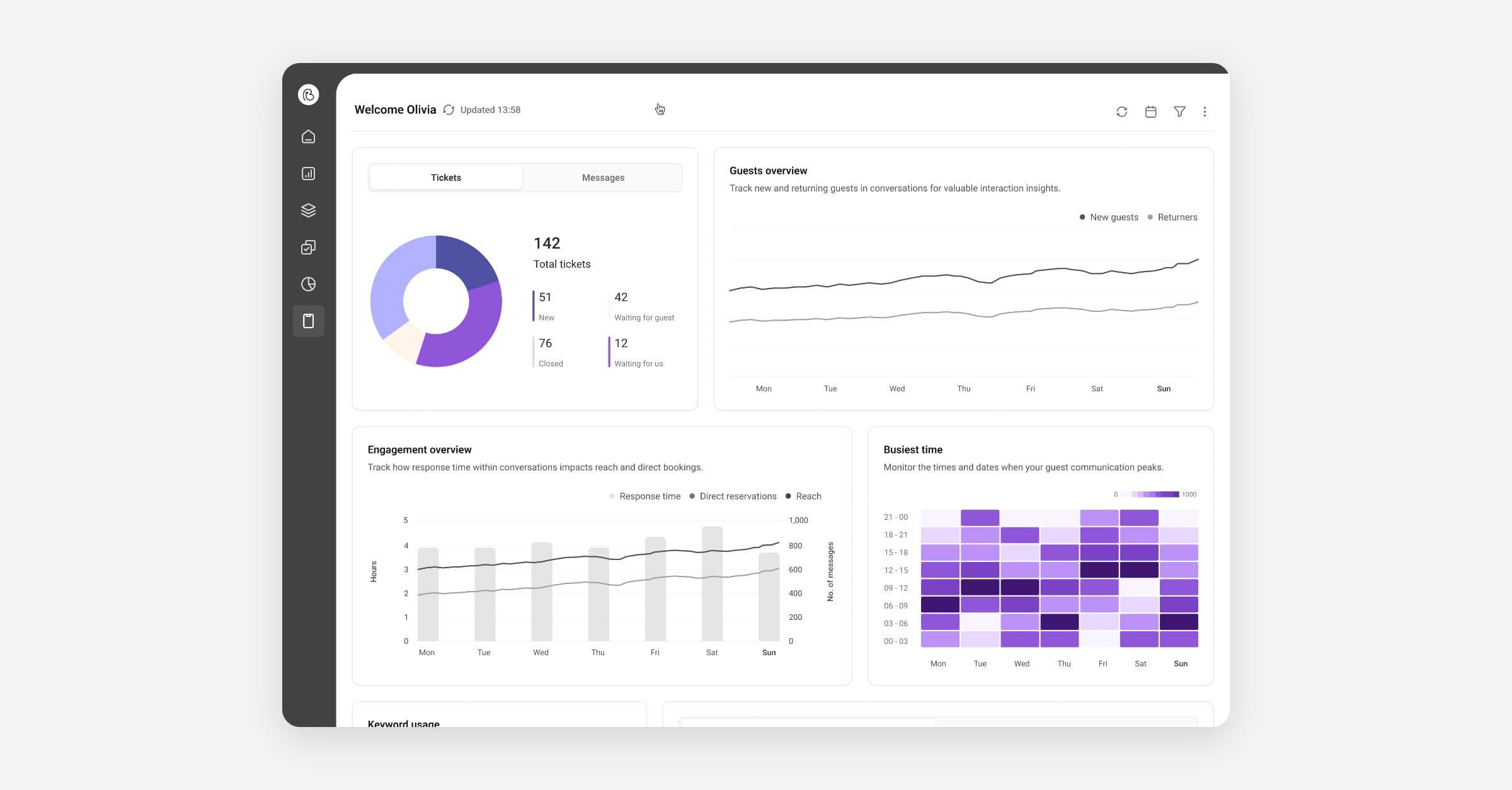
Use Bookboost Insights to track marketing performance, guest behavior, and revenue metrics in one analytics hub. All new dashboards that combine campaign conversions, message engagement across channels, audience cohorts, and booking revenue attributed to outreach. Create report schedules, export CSVs for deeper analysis, and set threshold alerts so you act on changes in performance without watching dashboards all day.
Bookboost Insights is currently in closed BETA - reach out to [email protected] for early access.
WhatsApp Action Buttons
Add action buttons to WhatsApp Campaigns and Quick Replies so guests can tap to call, visit a link, or send a predefined response. You control button order, style, and presets. Built-in validation ensures correct phone formats and safe characters, and you can preview the final message before sending.
This matters because you reduce friction and increase response rates on a channel guests prefer. Go to Campaigns → WhatsApp to add action buttons to campaigns, or Inbox → Quick Replies to update templates.
Unified Frontend Codebase
We undertook a major infrastructure change in November to set our platform up for long-term success. The impact on your experience in Bookboost today is minimal, but you will see a more consistent UI, faster bug fixes, and smoother rollouts when we ship new features going forward. Additionally we have resolved some frustrating authentication issues which were rooted in the limitations of our legacy infrastructure - goodbye double login!
More improvements & fixes
Bookboost CRM
Block guests from Campaigns
We’ve added a simple way to prevent specific guests from receiving marketing campaigns, without deleting or anonymising their profiles. Adding the tag silence on a guest profile automatically excludes that guest from receiving campaigns across any audience they belong to.
Bookboost Guest App
Notifications for Form Submissions
Add notification for Guest App form submissions — Bookboost now surfaces a notification in Notification Center when a form submission is received from a guest.
Fixes
Unified Inbox: Fix updating QuickReply with “form” message — you can now save edits without errors.
Bookboost CRM: Broadcast “Schedule for later” shows the date and time picker as expected.
Unified Inbox: Guest slide-in shows history changes, team, and subject without requiring a page refresh.
Unified Inbox: Message composer no longer shows unexpected red “+” signs in Quick Reply options.
Customer Data Platform: Mews “booker” guest type handling is corrected.
General: Notifications: subscribing and delivering push notifications has been refactored for stability.
Unified Inbox: Quick Reply list shows the property next to the title.